Gitlab + Multiple Slack Service Integrations
So we’ve got a Gitlab repo at work that we already have setup to publish merge requests and stuff to a slack channel where all of our developers can see them.
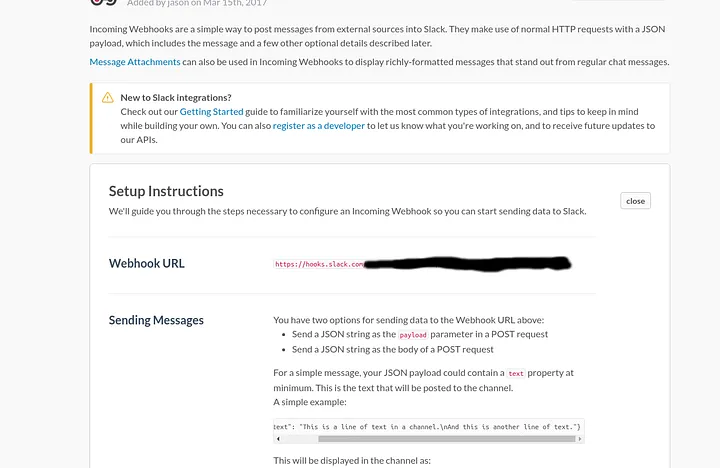
slack webhook url (gitlab only allows one of these per repo, corresponding to one slack group)
We also have another office which also does some development. However, this office is very large so they have their own separate slack group. Some members of our teams are members of both slack, but not all of them so it would be cool if the updates could be received in a channel in both groups.
Unfortunately gitlabs only supports pushing to a single slack group in it’s services section. So we through up a quick and dirty script onto a webserver and had it receive the gitlab POST request, and had it relay it to all of the slack urls we wanted.
<?php
function multiexplode ($delimiters,$string) {
    $ready = str_replace($delimiters, $delimiters[0], $string);
    $launch = explode($delimiters[0], $ready);
    return  $launch;
}
//parse the channels file to get the urls and the slack channels
$channeldata = file_get_contents("channels.txt");
$pieces = multiexplode(array(" ", "\n"), $channeldata);
$urls = array();
$channels = array();
for($i = 0; $i < count($pieces); $i++) {
  if(($i % 2) == 0) {
    $urls[$i / 2] = $pieces[$i];
  } else {
    $channels[$i / 2] = $pieces[$i];
  }
}
//mods the channel and replays the post to the urls from the channels file
if(isset($_POST['payload'])) {
  $json = json_decode($_POST['payload'], true);
 for($i = 0; $i < count($channels); $i++) {
  $jsonmod = $json;
  $jsonmod["channel"] = $channels[$i];
  $ch = curl_init($urls[$i]);
  curl_setopt($ch, CURLOPT_POST, 1);
  $jsonDataEncoded = json_encode($jsonmod);
  curl_setopt($ch, CURLOPT_POSTFIELDS, $jsonDataEncoded);
  curl_setopt($ch, CURLOPT_HTTPHEADER, array('Content-Type: application/json'));
  $result = curl_exec($ch);
 }
}
?>
This will receive the json from gitlabs, look for a channels.txt file which contains the slack URL and channel one line at a time as follows:
<slack url> <slack channel>
modify the channel in the original json (in case you want a differently named channel in each URL) and then resend the json using curl.
Note: install curl with: sudo apt-get install php-curl
Now you can just point your gitlab to this page on a webserver somewhere and let it forward it to your slack channels from the channels.txt file.
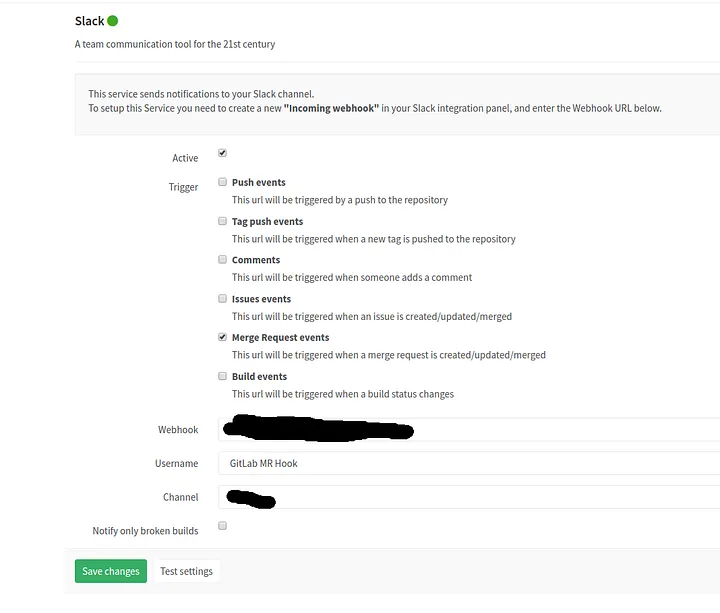
the gitlab slack service integration where you can only set one url. Put the url to your php page here.